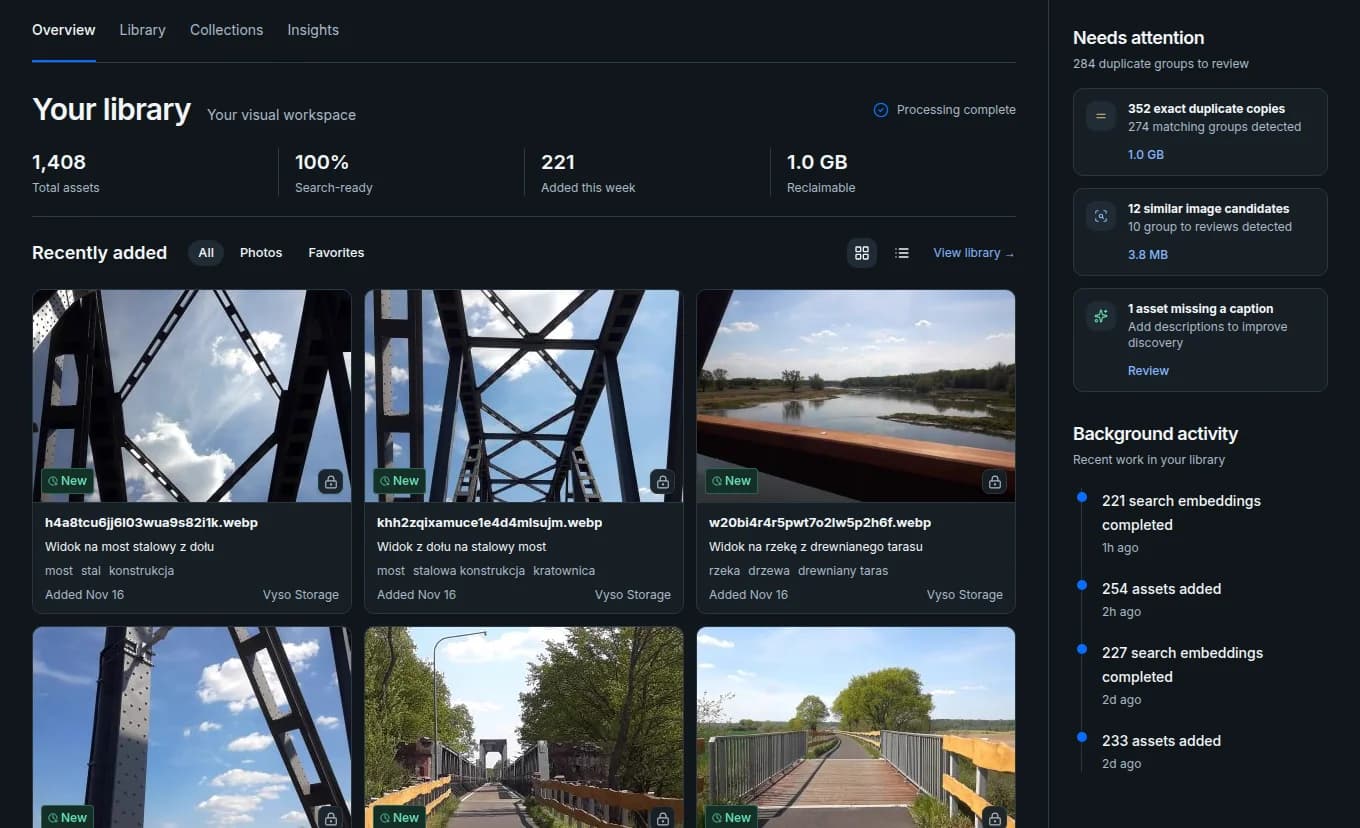
Find
Find a shot by describing it.
Hybrid search brings filenames, metadata, generated captions, tags, and visual context into one result set.
Upload photos and videos, then search by what you remember about the shot. Review duplicates side by side and publish a crop for your site from the same original.
Free plan includes 1,000 MiB of storage
Too big for
folders. Too small
for a DAM
administrator.
Searchable captions and tags
Resumable uploads
Private until you publish
Three useful outcomes
Find
Hybrid search brings filenames, metadata, generated captions, tags, and visual context into one result set.
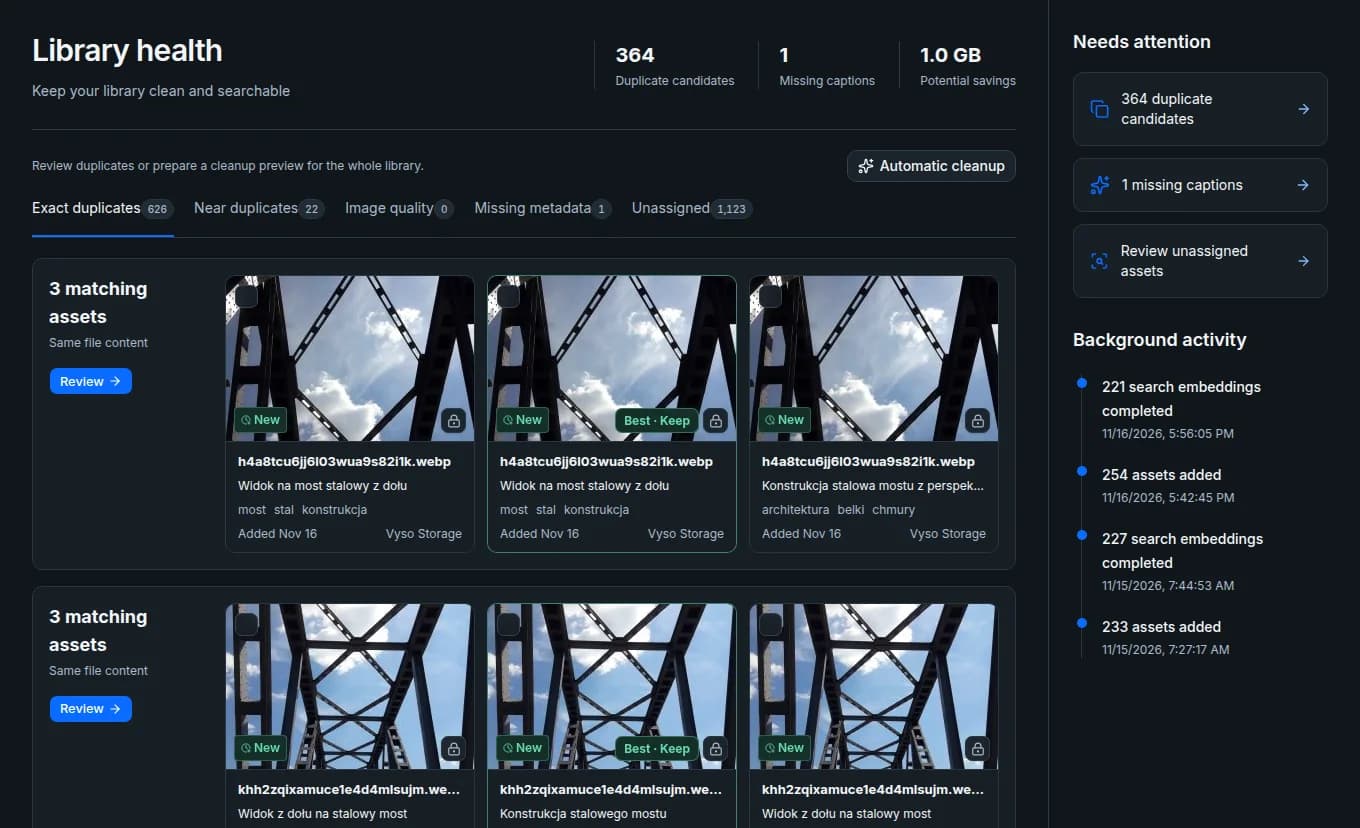
Maintain
Library Health surfaces duplicates, near-identical assets, bursts, and missing metadata so people can make the final call.
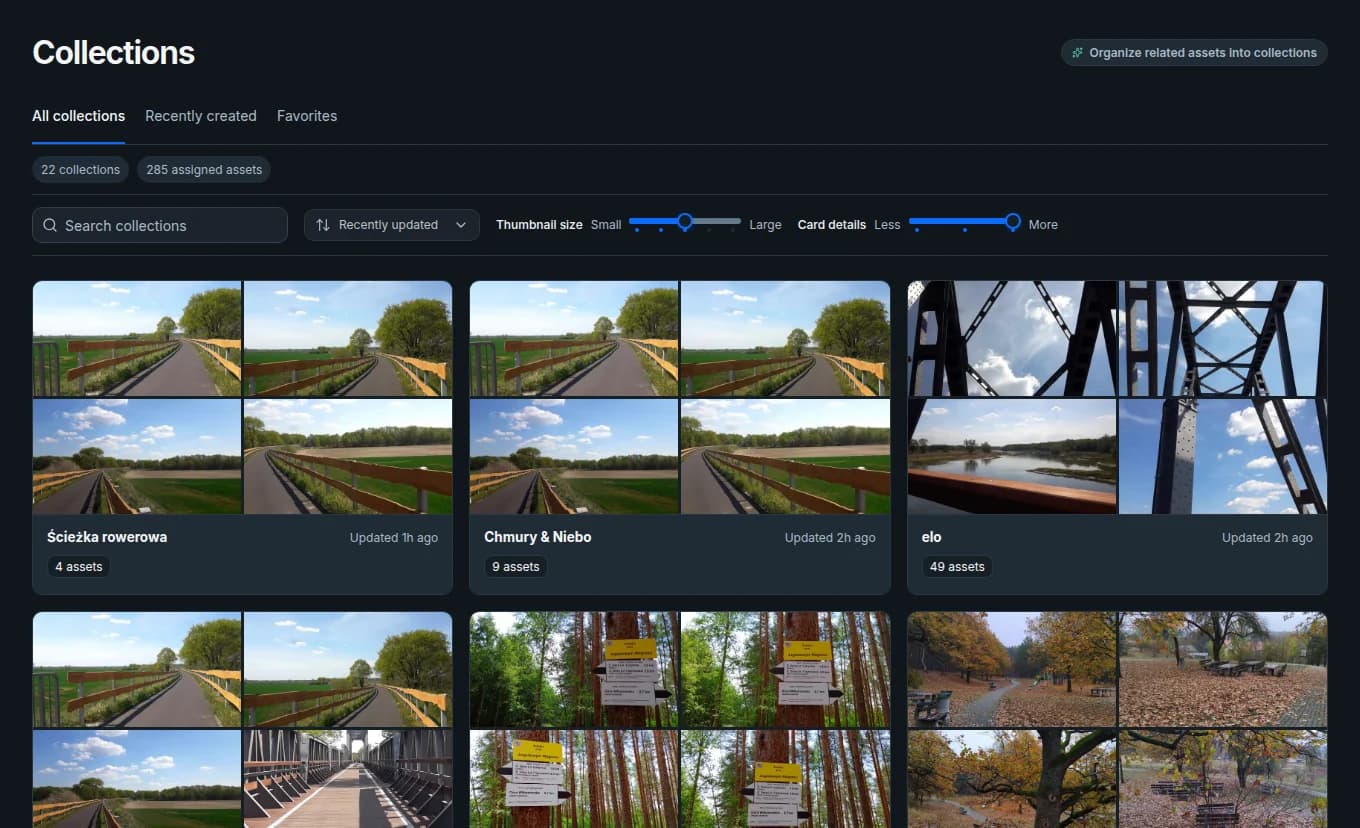
Organize
Add one photo to a campaign and a client collection. Both point to the same original.
How Vyso works
Upload from your device or import selected files from Google Drive or S3.
Vyso adds captions, tags, and searchable context.
Describe a scene, search your tags, or paste an exact asset ID.
Review duplicates and metadata gaps as the library grows.
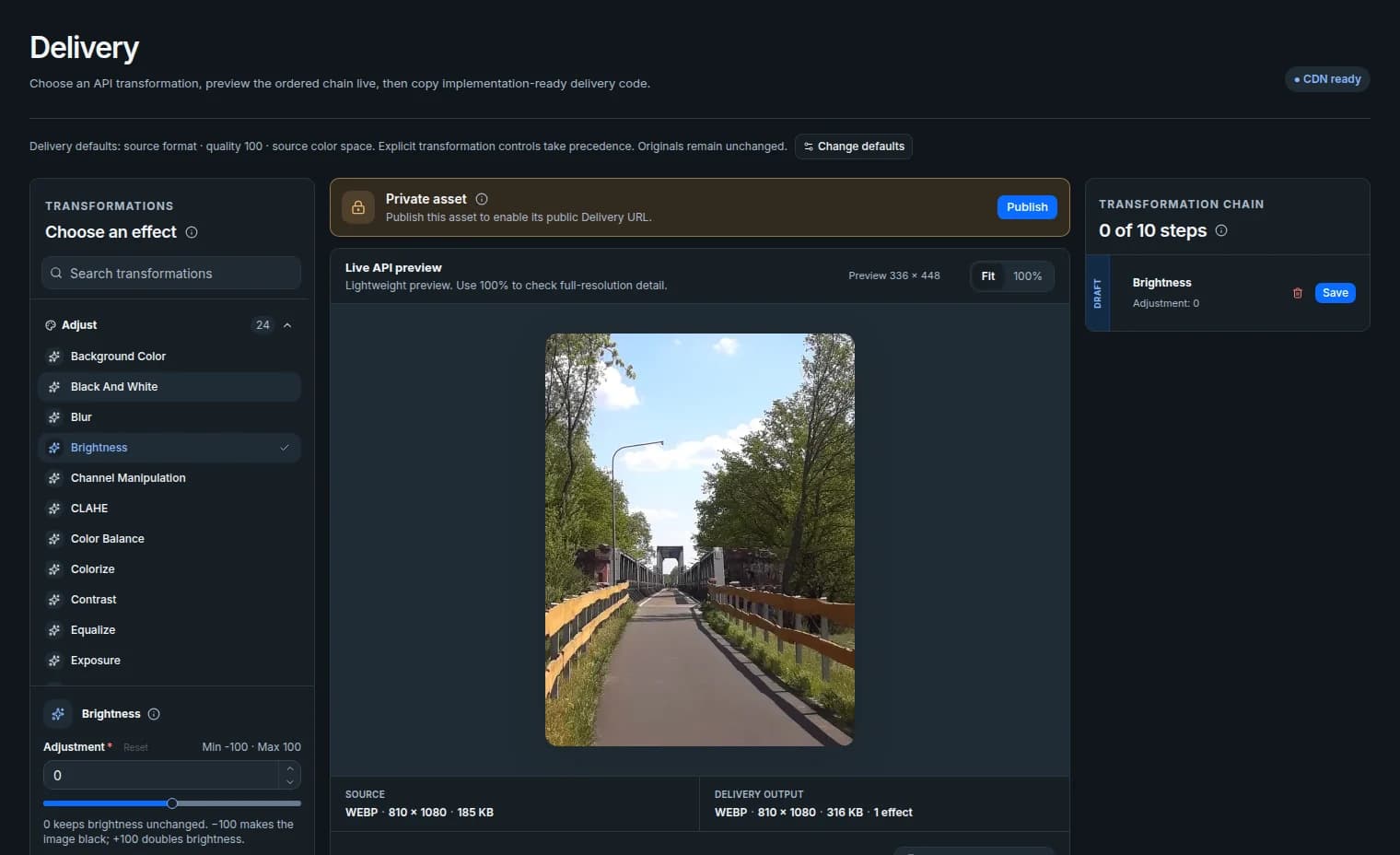
Preview a crop privately, then publish the image and copy its CDN link.
Delivery & CDN
Preview the image privately, save a preset for the next campaign, then publish and copy the CDN URL. For a video, you can publish its generated poster.
Pricing in USD
Start on Free or choose more storage in Billing. The prices below are reference prices. During early access, you can activate and renew Pro or Agency for $0. Paid billing requires your separate confirmation.
1,000 MiB storage
$0
Free plan
Upload images and videos, search indexed captions and tags, and publish the assets you want to share.
Start free100 GiB storage
$33 per month
Or $192 per year.
Keep a growing library of originals together as you add campaigns and collections.
Start freeUnlimited storage
within reason
$499 per month
Store larger client libraries and keep related assets in project collections.
Start freeQuestions
Yes. Resume the transfer and check Upload History to see which files finished and which still need attention.
You can upload a folder straight away. Vyso adds searchable captions and tags. Choose your own collections or enable Autopilot to help assign them.
Vyso keeps the file you uploaded. Download the original or export your library with its metadata. Changing an image variant leaves the source bytes intact.
Yes. Developers can embed published images and video posters using CDN URLs. Scoped API keys let applications upload files, search assets, or manage publication.
Vyso / start here
Start with one folder. Try a search, review a duplicate group, or publish your first image.